Communication Drivers
What is a Driver?
A communication driver is a software component that enables interaction between Machines Simulator and various controllers or external hardware. Its function is to manage data exchangethrough specific protocols, allowing virtual machines to be directly controlled by external devices.
Machines Simulator includes drivers compatible with different technologies, such as real industrial PLCs, simulated PLCs, I/O interface cards, and other systems, ensuring flexible and efficient integration.
How to Configure
Follow these steps to set up a communication driver:
- Start the Machine: Select the desired machine and press the START button.
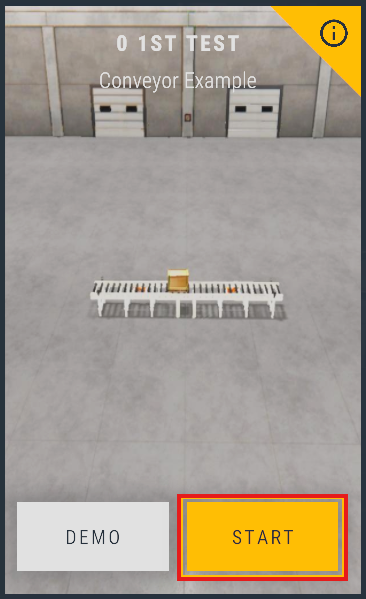
- Access IO Drivers: Once the machine starts, click on the IO Drivers button located in the menu.

- Open Configurator: The IO Driver Configurator will launch, showing the configuration screen.
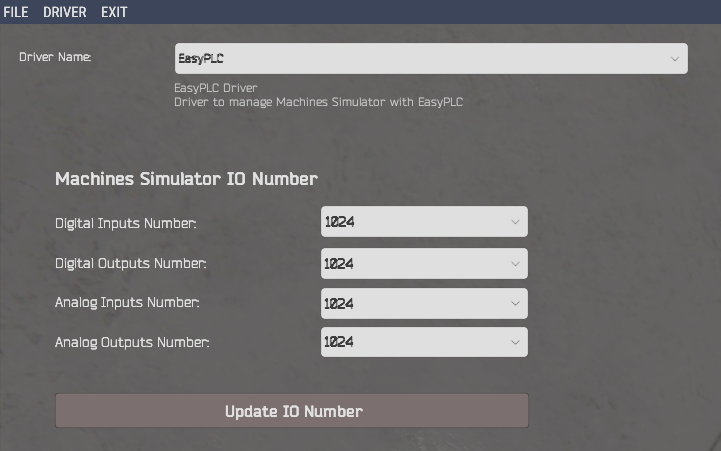
- Select and Setup:
- Select the driver you wish to use (EasyPLC is selected by default).
- Configure the amount of digital and analog I/O signals used by the machine.
info
You can monitor the real-time state of these signals by clicking the VIEW IO option in the simulation menu.