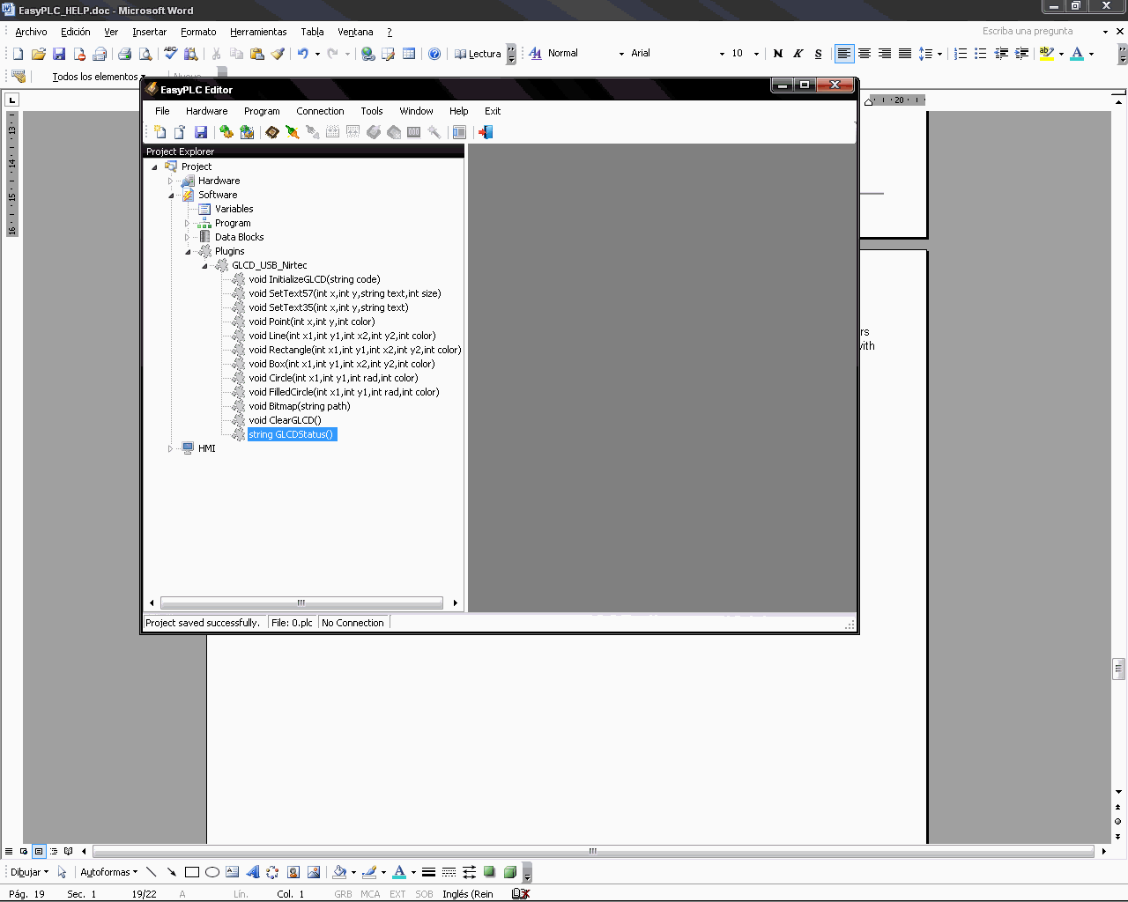
Plugins
Plugins are extensibility tools that add specific capabilities to EasyPLC. These libraries allow for deep customization, enabling the creation of specialized functions to communicate with third-party devices or external software.
For detailed information on developing custom components, please refer to the EasyPLC SDK guide.
To ensure the Editor recognizes new capabilities, all plugin libraries must be copied into the EasyPLC Plugins folder (by default C:\Nirtec\EasyPLC\Plugins).
Adding a Plugin
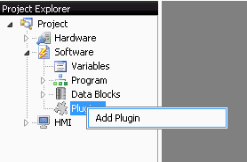
- Locate the Plugins node in the Project Explorer.
- Right-click the node and select Add Plugin from the contextual menu.
- Select a valid EasyPLC Plugin .dll file.
- If the library is valid, a new child node will appear under the Plugins section.
Plugin Inspection
Selecting a specific plugin node displays its technical metadata, including:
- Method Names: The available functions within the library.
- Parameters: The required input data for each method.
- Return Values: The data type resulting from the execution of the method.