Data-Blocks
Data Blocks are collections of data items organized in a vector-type structure, allowing elements to be accessed via indices computed at run-time. They are primarily used to store large sets of values and perform indexed operations.
Creation and Configuration
To define a new memory structure:
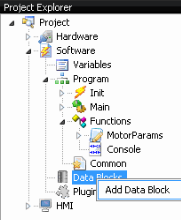
- Right-click the Data Blocks node in the Project Explorer.
- Select Add Data Block from the contextual menu.
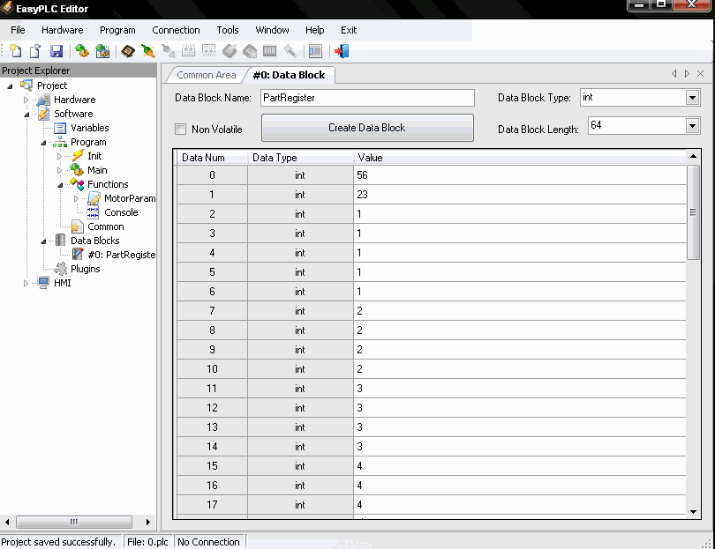
- In the configuration window, define the following parameters:
- Name: Unique identifier for the block.
- Type: Data type for all elements in the block (follows the same types as variables, e.g., int, float, bool).
- Length: The total number of elements contained within the block.
- Press the Create Data Block button to finalize the setup.
Persistence and Initialization
- Non-Volatile Attribute: When enabled, the Data Block retains its values when the Virtual PLC transitions to STOP mode or when the application is closed. These values are automatically restored when the PLC returns to RUN mode.
- Initialization: Elements can be pre-loaded with specific starting values by entering them into the Value field during configuration.
Access and Usage
Because Data Blocks function as arrays, they are highly effective for tasks involving recipes, logging, or any logic requiring dynamic addressing through index variables.