Program Templates
Program templates facilitate the creation of project structures tailored to specific automation tasks. Selecting the appropriate template ensures the necessary drivers and initial configurations are pre-loaded.
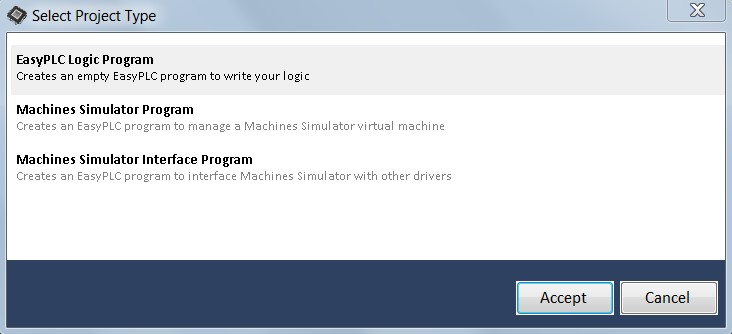
Template Types
- EasyPLC Logic Program: Generates a blank program structure with a simulated driver. This is the standard template for custom EasyPLC applications, allowing full manual control over adding, modifying, or removing drivers and sequences.
- Machines Simulator Program: Creates an empty structure pre-configured with the Machines Simulator Driver. By default, it includes:
- 16 Digital Inputs / 16 Digital Outputs
- 8 Analog Inputs / 8 Analog Outputs
info
The configuration can be adjusted if additional signals are required. This template supports importing signal definitions directly from a Machines Simulator file to automatically update assigned variables.
- Machines Simulator Interface Program: Creates a specialized sequence designed to bridge the Machines Simulator driver with any other supported driver (e.g., Interface cards, Simatic S7 PLCSIM, OPC, TwinCAT). It enables signal mapping between drivers via drag-and-drop operations, requiring no manual code to establish the interface.