Interface
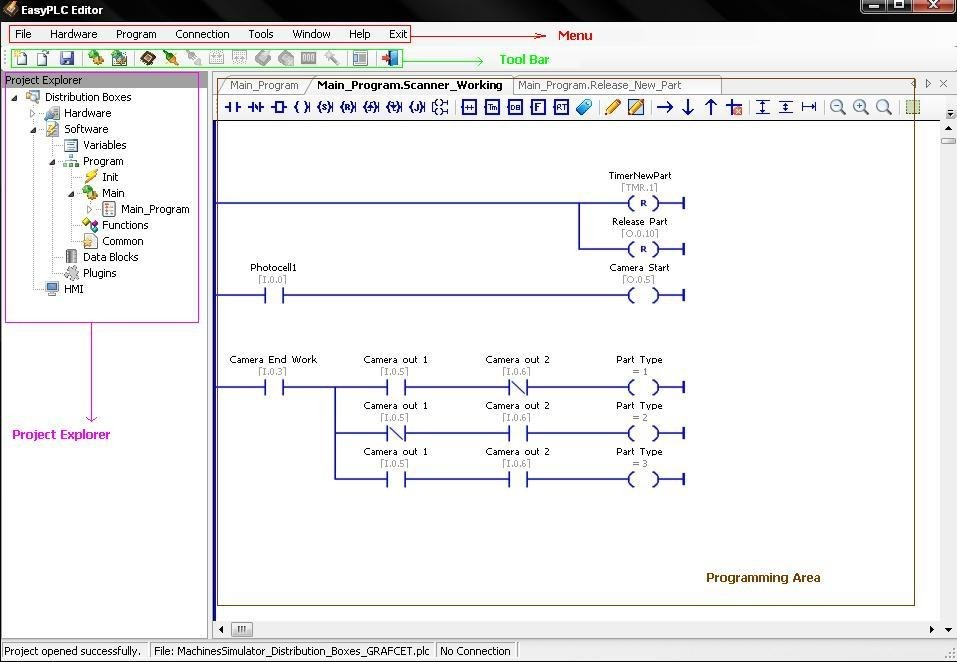
The visual interface of EasyPLC Editor is organized into functional areas for efficient project management and logic development.
Workspace Components
- Menu: Contains all accessible Editor options and system configurations.
- Tool Bar: Provides quick access to the most frequently used commands and functions.
- Project Explorer: Centralized panel for managing hardware parameters, program structure, data blocks, plugins, and HMI screens.
- Programming Area: Dedicated workspace for the creation and editing of control logic.
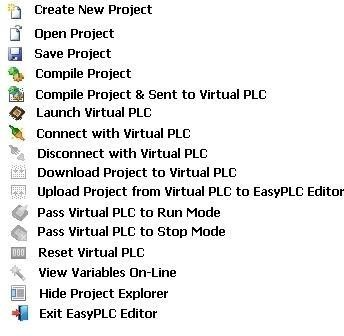
Tool Bar
The Tool Bar provides rapid access to the most frequently used project and editing commands.