Customization
Access the Tools -> Preferences menu to configure the behavior and visual appearance of the EasyPLC Editor.
Startup Options
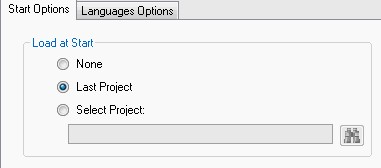
Startup options can be configured to execute specific actions upon launching:
- None: The editor starts with no project loaded.
- Last Project: Automatically opens the most recently saved project.
- Select Project: Prompts to open a specific, pre-defined project file.
Display Settings
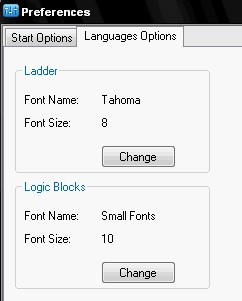
The visual style of the programming environment can be adjusted for better readability:
- Font Name: Change the typeface used in Ladder and Logic Blocks editors.
- Font Size: Adjust the text scale for instructions and variable labels.
Project Protection
The EasyPLC Editor includes a security feature to lock the logic program. This prevents unauthorized modifications while still allowing the program to be executed by the Virtual PLC and transferred to target systems.
Locking a Project
To activate protection, follow these steps:
- Right-click the Project Node in the Project Explorer.
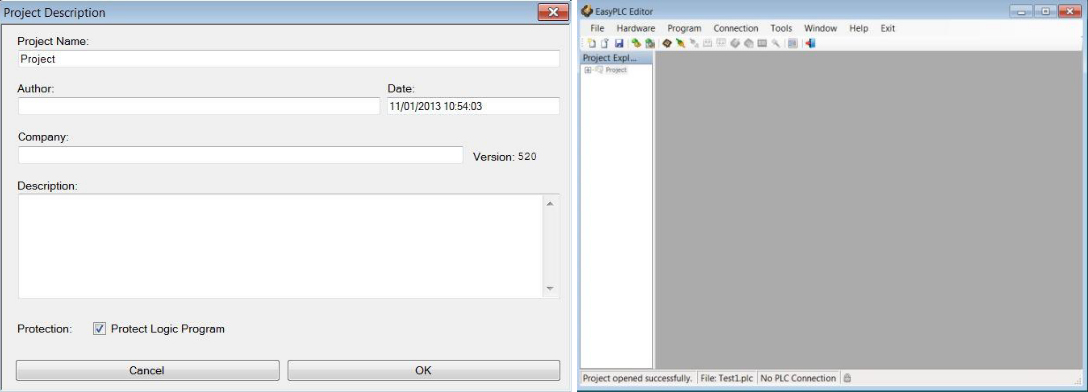
- Select Project Properties.
- In the description window, enable the Protect Logic Program checkbox.
- Define and confirm a Password.
- Save the project and restart the Editor to apply the lock.
Unlocking a Project
To regain editing access to a protected program:
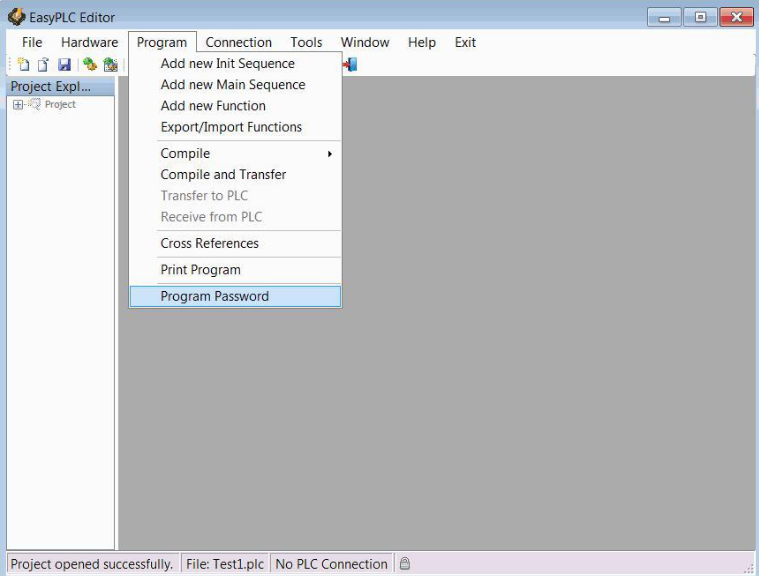
- Navigate to the Program menu.
- Select Program Password.
- Enter the correct password in the prompt window to enable modification mode.