Console
When Virtual PLC CPU is launched, it does not show any interface screen initially. A Tray icon is showed in the Windows notify area (where the clock is located).

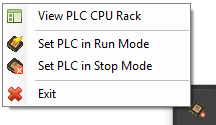
If you click with the mouse right button on the tray icon, a menu appears where it is possible to:
- View the PLC Rack.
- Change PLC Mode.
- Exit and close Virtual PLC CPU.
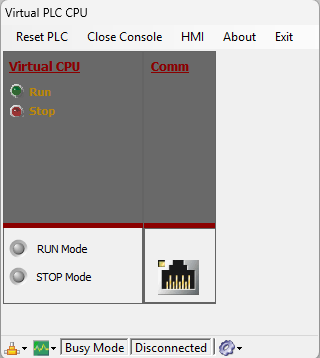
Clicking in the View PLC CPU Rack, will open the visual interface of Virtual PLC CPU.
From this interface is possible to make some PLC operations like:
- Change the PLC working status.
- Reset PLC program.
- Launch HMI System application.
- See connection parameters and status.
- See I/O status bits.
- See CPU clock parameters.
- See PLC Cycle Time Graph.