WorkParts
The WorkParts are the elements to be managed in the machines (pallet, boxes, interactive items, …), always will be affected by the gravity and by forces applied by the others components. In one machine, you can have as many WorkParts as you need and as types, as you need. The WorkParts uses resources of your system for this reason you must to manage them in order to not overload your system and slow your machine system. To manage them you have five specially components, the WorkPart, the WorkPart Creator, the WorkPart Destructor, the WorkPart Modifier and the WorkPart Translator.
1. WorkPart
Some properties are same as Static & Dynamic elements, following let’s see the special WorkParts properties:
- WorkPartPrefab: you can choose from 19 different pre-set WorkParts, by default there are available boxes, pallets, crates and assembled parts, each type can have different behaviours:
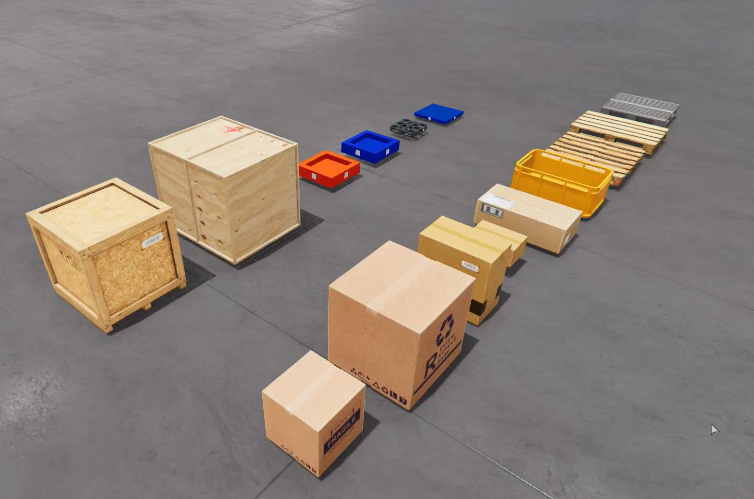
- The
StackableSmallBoxandStackableBoxare automatically attached to the WorkParts on which they rely, in this way can be used in the Stacker components or other where high movements are required and is not wanted the boxes will fall. - The
Caseis used as container to transport other WorkParts. - The
Assembled Base 1, 2 and 3will joint with theAssembled Top 1, 2 and 3when inserted. - Custom: this WorkPart can be customized by the user, choosing the 3D model and/or textures, sizes, weight, …
- CrashSound: if true, when WorkPart collides with other element emits a sound.
- HitSoundSoft: sound to emit when the collision is lower (and
CrashSoundis true). - HitSoundHard: sound to emit when the collision is hard (and
CrashSoundis true). - WorkPartType: is an integer value to identify this workPart in a numeric type.
- FixToWorkPartType: if this property is >=0, this workpart will be joined with the WorkPart (with
WorkPartTypeproperty matching with this property value), when the two WorkParts will collide. - ShowOnMachineStart: if true this WorkPart will be loaded when the machine starts in run mode. Otherwise, must to be created with a WorkPart creator component.
2. WorkPart Creator
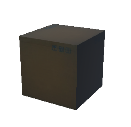
The WorkPart Creator component will create the WorkParts at the position you define and when the PLC output or input you select is activated.

WorkPart Creator Properties:
- Creation Mode: Choose
Randomto create randomly a WorkPart from theWorkParToCreateListproperty, chooseSequentialto create a WorkPart sequentially from the collection, chooseBunchto create a bunch of workparts. - Creation Location: two modes are available, Center and Random. Choose
Centerto create the new WorkParts in the center of the Creator box, chooseRandomto create the WorkParts in a random area inside the Creator Box perimeter. - Creation Interval: (in seconds) if is 0 only a WorkPart will be created on the positive trigger of the PLC Output number selected, if a number greater than zero is set, each this number seconds the WorkPart will be created always that the PLC output will be on.
- Creation Interval Random: if is true the WorkParts will be created at a random interval between 0 seconds and
Creation Intervalseconds value. - CreationBunchNumber: if the Creation Mode is set to Bunch, type here how many WorkParts will be created in the bunch.
- PLC_OUT_CREATEWP: PLC output number used to create a new WorkPart, when this output will be on (Trigger to on), a new WorkPart will be created.
- PLC_IN_CREATEWP: PLC input number used to create a new WorkPart, when this PLC input will be on (Trigger to on), a new WorkPart will be created.
- WorkPart Random Rotation: if true the WorkParts will be created with a random rotation for each x, y and z axis, if false the created WorkParts will have the same rotation than the WorkPart Creator.
- WorkParToCreateList: is a collection of the installation available WorkParts, here you can type the WorkPart Types that this component will create when the PLC output will be on. Each type must to be separated by commas.
Examples:
WorkParToCreateList: 0WorkParToCreateList: 0,1,2WorkParToCreateList: 2,4,6,7
- UserCompToCreateList: is a collection of the installation available UserDefinedComponents, here you can type the UDC Types that this component will create when the PLC output will be on. Each type must to be separated by commas.
- ViewInMachine: if true, the WorkPart Creator will be visible. If false will be invisible.
3. WorkPart Destructor
The WorkPart Destructor will destroy the WorkParts when they collide with it, releasing the workpart resources.

- PLC_OUT_DESTROY_WP: PLC output number used to destroy the WorkPart, if this PLC output is -1 when a workpart collide with it will be destroyed, if is assigned the workpart will be destroyed if collides and the output is on.
- PLC_IN_DESTROY_WP: PLC input number used to destroy the WorkPart, if this PLC input is -1 when a workpart collide with it will be destroyed, if is assigned the workpart will be destroyed if collides and the input is on.
- WorkPart To Destroy: if this property is empty, all the WorkParts collides with the Destructor will be destroyed, if you type a WorkPartType ID, only will destroy these WorkParts. Note: you can type more than one ID separated by commas. Ex: 1,3,5
4. WorkPart Modifier
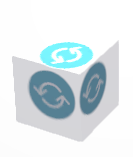
The WorkPart Modifier will destroy the selected type workpart if collide with it and will create the selected type workpart.
- PLC_OUT_MODIF: PLC output number used to modify the WorkPart, if this PLC output is -1 when a workpart collide with it will be changed, if is assigned the workpart will be changed if collides and the output is on.
- PLC_IN_MODIF: PLC input number used to modify the WorkPart, if this PLC input is -1 when a workpart collide with it will be changed, if is assigned the workpart will be changed if collides and the input is on.
- SourceWorkPart: WorkPart type that will be destroyed when the component will be active and the workpart collides with it.
- FinalWorkPart: workpart type that will be created when the source workpart will be destroyed.
5. WorkPart Transporter (Translator)
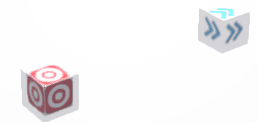
The WorkPart Translator is composed by two elements the emitter and the receiver, when a workpart will touch the receiver automatically will be send to the emitter location, without create or destroy any workpart.
6. WorkPart Trigger
The WorkPart Trigger allows to make modifications to WorkParts during simulation, is possible to modify position, rotation, scale, color or orbit of the Workparts that collides with the WorkPart Trigger.
The actions can be done instantaneously or in interpolated mode. If is in interpolated mode, you can set the Time Interpolation parameter that sets the time to reach the desired value.
Action Type can be absolute or relative, if is absolute the final value is in world position and if it is relative is in local position, this is adding the offset for values X,Y,Z to current value.
Speed is used only for Orbit Action (X,Y,Z means the orbit axis point), speed is the velocity and Time Interpolation, the time the WorkPart is orbiting.