Special FX
In this category we can select a variety of components useful to add special effects to the machines.
- Billboard: draws a texture that always is facing the camera.
- ExplosionFX: effect used to create explosions.
- FireFX: effect used to create fire.
- FlameFX: effect used to create a flame.
- PaintFX: effect to simulate paint squirt.
- PlasmaFX: effect used to create plasma effect.
- SmokeFX: this effect is used to create smoke.
- SpartksFX: this effect is used to create sparks.
- SteamFX: effect to simulate steam jet.
- WaterFX: effect used to create water in movement.
- Water: effect used to create water (like sea, deposit, ...)
- Text 3D: draws a 3D Text.
- Stamper: used to ‘stamp’ textures to WorkParts elements, the textures will be printed on the WorkPart that collides with the ray pointed by this component.
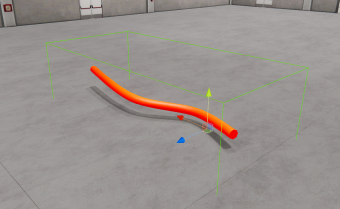
- Line: used to create lines that can be updated in run time by code or controllers.
- Cutter: this component is used to cut WorkParts. The WorkParts to cut must be assigned a Customized WorkpartPrefab property and a Cube PhysicShape.
- Special FX container: includes a bunch of different effects as flame, fog, gas, ground steam, heat, metal impact, sand impact, stone impact, wood impact, sand swirls, oil stream and water drop.
- Shapes: using this component is possible to draw 2D shapes as: Lines, circles, arcs, curves, splines and grids. Also using the Spline mode, is possible to create 3D tubes, rectangles and planes in 3D, assigning a collision shape to the created geometry following the spline configurable control points.